
Learn how to set up your own home office in 2026 with the right desk, chair, lighting, and budget-friendly tips to create a productive workspace.
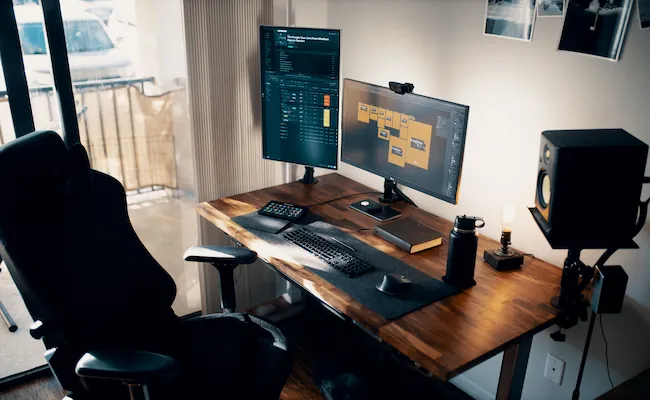
Working from home sounds exciting until you actually spend a full week doing it. I have seen many people start with a laptop on the dining table and believe that it will work just fine. After a few days they start feeling tired distracted and uncomfortable.
That is when they realize a proper workspace is not a luxury. It is something you truly need.
So if you are searching for How to Set Up Your Own Home Office in 2026 you are already taking the right first step. You do not need a big house or a huge budget. You simply need a smart plan and a few practical choices.
I will share the same advice that I would give a close friend who is setting up a home office for the first time.
1. Why and How to Set Up Your Own Home Office in 2026 Is Worth It
Remote work has become a normal part of life across the USA UK and Canada. Many people now work from home every day while others split their time between home and the office.
No matter which option you have your workspace can make a big difference. I have learned one simple lesson over the years. A comfortable workspace helps you stay focused for longer without feeling exhausted. A poor setup may save money at first but it often creates bigger problems later.
For example : I once helped a friend who had been working from his kitchen table for almost two months. Every video meeting was interrupted by family members walking behind him. His chair was uncomfortable and his shoulders started hurting every evening.
We moved his setup to a quiet corner of the house added a proper chair and improved the lighting. Within a week he noticed that he was finishing work faster and feeling much less tired.
That small change reminded me that productivity is not only about working harder. It is also about creating the right environment.
So the good news is that you do not need an expensive office. Even a small corner of your bedroom or living room can become a productive workspace when it is planned properly.
2. Benefits of Setting Up a Proper Home Office :
A well-planned workspace offers much more than a clean desk. It can improve the way you work every single day.
- Stay focused with fewer distractions.
- Reduce neck and back pain by sitting comfortably.
- Look more professional during online meetings.
- Save time by keeping everything within reach.
- Feel less stressed throughout the workday.
- Separate work life from personal life more easily.
These benefits may seem small at first. Over several months they can have a huge impact on your comfort and productivity.
3. Common Problems People Face :
Many beginners make the same mistakes because they think any table and chair will do the job.
Some common problems include :
- Working from the couch every day.
- Poor lighting that causes eye strain.
- Weak Wi-Fi during video calls.
- A noisy room with constant distractions.
- No space to keep documents or office supplies.
These issues slowly reduce your focus. They also make work feel more tiring than it should be.
4. What You Should Think About Before Buying Anything :
Before you order furniture or office equipment spend a few minutes looking around your home. This simple step can save both money and frustration.
Ask yourself these questions:
- Which area stays quiet during the day?
- Where do you get the most natural light?
- Is there enough room for a desk and chair?
- Is the Wi-Fi signal strong in that spot?
- Can you work there without frequent interruptions?
You do not need perfect answers. You simply need a space that helps you concentrate and feel comfortable.
5. A Simple Tip From My Experience :
When I first started working from home I believed that buying expensive accessories would make my workspace better.
I quickly realized I was wrong. A comfortable chair and a quiet corner helped me far more than fancy gadgets sitting on my desk. That’s why I always suggest starting with the basics. Once your workspace feels comfortable you can slowly add extra items that make your work easier.
6. Choose the Best Space :
The place where you work can affect your focus more than you think. A quiet and comfortable area helps you finish tasks faster with fewer distractions.
You do not need a separate office room. Even a small corner of your home can become a productive workspace if you plan it well.
When I helped one of my friends set up his first home office he wanted to work from the living room because it had plenty of space. After two days he realized the television family conversations and constant movement made it hard to concentrate.
We shifted his desk to a quiet bedroom corner and the difference was noticeable from the very first day.
7. Choose a Location That Works for You :
Before buying furniture take a good look around your home. The right location will save you from many daily frustrations.
Look for a space that has:
- Less noise during working hours.
- Enough natural light from a nearby window.
- A strong Wi-Fi signal.
- Easy access to power outlets.
- Enough room for a desk and chair.
If you work with clients or attend online meetings often try to choose a place where people will not walk behind you. A clean background also looks more professional during video calls.
8. Pick the Right Desk and Chair :
Your desk and chair are the two most important items in your home office.
Fancy accessories can wait but these should be your priority because you will use them every day. Choose a desk that gives you enough space for your laptop monitor notebook and a few daily essentials.
A crowded desk can make even simple work feel stressful. Your chair should support your lower back and let your feet rest flat on the floor. If the chair height can be adjusted that is even better.
A few things worth checking :
- The desk should match your work style.
- Your chair should support your back.
- Your elbows should stay close to a 90-degree angle while typing.
- Keep your monitor at eye level to reduce neck strain.
A comfortable setup helps you stay productive for longer without feeling exhausted at the end of the day.
9. Improve Lighting and Internet :
Good lighting is often ignored until eye strain becomes a problem.
Natural daylight is the best choice because it keeps the room bright and feels easier on your eyes. Place your desk near a window if possible. If natural light is limited use a quality LED desk lamp with soft white light instead of harsh lighting.
Your internet connection is just as important. A slow connection can interrupt meetings delay file uploads and create unnecessary stress.
Before finalizing your workspace check the Wi-Fi speed in that area. If the signal is weak consider using a Wi-Fi extender or an Ethernet cable for a more stable connection.
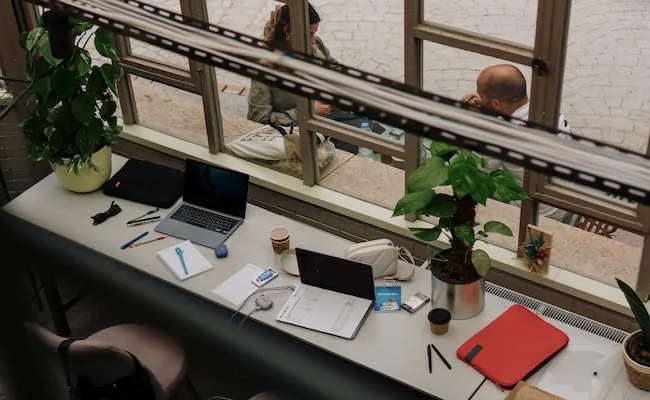
10. Essential Equipments :
Once your workspace is ready it is time to add the tools you will use every day. You do not need the most expensive gadgets. Buy equipment that makes your work easier and more comfortable.
Here are a few essentials that are worth having:
- A reliable laptop or desktop for smooth performance.
- An external monitor if you work with multiple windows.
- A wireless keyboard and mouse for better comfort.
- Noise-canceling headphones if your home gets noisy.
- A notebook and pen for quick notes during meetings.
- A surge protector to keep your devices safe.
Start with the basics and upgrade only when you feel the need. A simple setup that works well is always better than an expensive setup filled with things you rarely use.
11. Keep Your Workspace Organized :
A clean workspace helps you think clearly. When everything has its place you spend less time searching for items and more time getting work done.
Keep only the things you use every day on your desk. Store chargers documents and other supplies in a drawer or storage box to reduce clutter.
A few simple habits can keep your workspace organized:
- Clean your desk before ending the workday.
- Arrange cables with cable clips or a cable box.
- Keep water and office supplies within easy reach.
- Add one small indoor plant to make the space feel fresh.
These small habits take only a few minutes but they make your workspace more pleasant every day.
12. Common Mistakes to Avoid :
Many beginners make the same mistakes when setting up a home office. The good news is that they are easy to avoid.
- Buying decorations before buying a good chair.
- Working in a noisy area.
- Ignoring proper lighting.
- Keeping the desk cluttered.
- Sitting for hours without taking short breaks.
I have made some of these mistakes myself. Early on I spent money on decorative items because they looked nice. Later I realized that replacing my uncomfortable chair had a much bigger impact on my daily work.
That experience taught me to spend money on comfort first and appearance later.
13. Take Short Breaks to Stay Productive
Working longer does not always mean getting more done. Short breaks help your mind and body recover.
A simple routine works well for many people:
- Work for 50 to 60 minutes.
- Stand up and stretch for 5 – 10 minutes.
- Drink some water.
- Return to work with a fresh mind.
This habit can improve your focus and reduce stiffness after long hours at your desk. A well-organized workspace combined with healthy work habits will help you enjoy working from home and stay productive throughout the day.
14. Build a Great Setup on a Budget :
A productive home office does not have to cost thousands of dollars. Many people believe they need premium furniture and expensive gadgets before they can work comfortably.
That is simply not true. If your budget is limited start with the essentials. Buy a comfortable chair a desk that fits your space and a reliable light source.
As your needs grow you can slowly upgrade your setup. I always suggest spending money on items that improve your comfort every day. A good chair will give you more value than buying expensive decorations or fancy accessories.
15. Budget-Friendly Home Office Checklist :
- Comfortable chair.
- Simple desk with enough space.
- Reliable laptop or desktop.
- LED desk lamp.
- Wireless keyboard and mouse.
- Cable organizer.
- Small indoor plant for a fresh look.
A simple and organized workspace often feels better than a room filled with unnecessary items.
Final Thoughts :
Setting up a home office is not about making your workspace look perfect. It is about creating a place where you can work comfortably stay focused and finish your tasks without unnecessary stress.
I have learned that even small improvements can make a big difference. A better chair good lighting a clean desk and a quiet workspace can completely change the way you feel at the end of the day.
If you are planning How to Set Up Your Own Home Office in 2026 remember that you do not have to build your dream office in one weekend. Start with the basics choose comfort over appearance and improve your setup one step at a time. Those small changes will help you create a workspace that supports your productivity for years to come.
Now that you know how to create a comfortable and productive workspace, you can enjoy working from home with greater focus and confidence. If you also enjoy spending time outdoors, be sure to explore our Outdoor Camping guides for practical tips and inspiration for your next adventure.